
Hi , I turned my social media and online business skills into a seven-figure income within two years, and I want to teach you how to make real money as a UGC (user generated content) creator. This is a complete, updated free course that covers everything I wish someone had given me when I started: what UGC is, how much you can charge, how to build a portfolio from scratch, how to create content both manually and with AI, where to find clients, how to pitch, and how to scale into monthly retainers or even an agency.
If you’re ready to treat content creation as a real business — one you can start with $0 and grow into a full-time income — read on. I’ll walk you through step-by-step and give you templates, prompts, and practical tips you can use today.
Course Overview — What You’ll Learn
- What UGC really is and why brands need it
- How much UGC creators make (realistic pricing and packages)
- How to build a UGC portfolio with no experience
- How to pick your niche and shape your style
- How to create UGC content manually with your phone
- How to leverage AI to write scripts and generate UGC videos
- How to find clients, pitch, and get paid
- How to scale using AI, retainers, and agency models
- Practical legal and tax tips for creators
Introduction to UGC — What It Is and Why It Pays
UGC stands for user generated content — short, organic, relatable videos that brands use to advertise their products. Unlike traditional ad creatives or influencer content, brands often prefer UGC because it feels authentic and trustworthy to consumers. They want real people, real usage, and real testimonials.
Key things brands look for in UGC:
- Authenticity: The content should feel like a real person using a product, not like a commercial.
- Clarity: The product and its benefits should be easy to see and understand quickly.
- Trustworthiness: Natural reactions, honest opinions, and a believable setup.
- Versatility: Brands appreciate creators who can deliver multiple formats — demo, voiceover, testimonial, montage.
Good news: you do NOT need thousands of followers to get started. Brands care more about the content quality and whether it will sell their product than your follower count. You also do not necessarily have to appear on camera to get paid — many sellers want B-roll, hands-only demos, and voiceover testimonials.
How Much Can You Make as a UGC Creator?
UGC is extremely profitable even for beginners. Here are ballpark rates that reflect what brands commonly pay:
- Beginner creators: $50–$150 per video
- Mid-level creators: $300–$500 per video
- Micro creators who bundle services (voiceovers, usage rights, multiple videos): $1,000+ packages
Why the range? Pricing depends on experience, niche, deliverables (usage rights, vertical vs horizontal, raw files), and how persuasive your portfolio is. If you produce 3–5 solid videos a week and charge conservative mid-range rates, you can easily replace a full-time salary. AI helps creators produce more videos faster, which increases earnings and allows you to take on more clients.
Step 1 — Build a UGC Portfolio with No Experience
Your portfolio is your ticket to your first paid job. It doesn’t require prior client experience. Use products you already own at home — skincare, makeup, haircare, snacks, supplements, small tech gadgets. The goal is to create 3–5 short sample clips that show your style and versatility.
Portfolio essentials:
- 3–5 short clips featuring different formats (hands-only demo, voiceover testimonial, product montage, flatlay with captions)
- A consistent vibe and aesthetic that aligns with the niches you want to serve
- Clear filenames, simple descriptions, and links so brands can watch fast
- A lightweight portfolio website or Canva page that’s easy to open on mobile
Portfolio clip ideas:
- Skincare morning routine (voiceover): 20–30 seconds, highlight benefits, show texture and application.
- Makeup product demo (hands + close-up): 15–20 seconds, show before/after or swipe application.
- Snack taste-test (reaction + product shot): 10–15 seconds, include first reaction and a quick verdict.
- Tech gadget unboxing + quick in-use demo: 20–30 seconds, show size, ports, and benefit in one line.
- Supplement or wellness product capsule split: flatlay + voiceover about effects and routine.
I created a free UGC portfolio template you can use: https://www.canva.com/design/DAGymOhHSI0/wc5t9-R7Y6GHNqEnaMQKrw/view?utm_content=DAGymOhHSI0&utm_campaign=designshare&utm_medium=link&utm_source=publishsharelink&mode=preview
What to include in each clip
- A strong 1–2 second hook (visual or text) so brands and viewers know the angle
- Product close-ups so the product is recognizable even in thumbnail form
- A clear, concise voiceover or on-screen caption that communicates the main benefit
- Varied shots — hands, close-ups, flatlay, lifestyle — to demonstrate editing possibilities
Step 2 — Pick a Niche and Shape Your Style
Your niche doesn’t have to be super narrow, but it should align with your interests and what you enjoy creating. This makes the work sustainable and helps brands picture you using their product. Examples of niches:
- Beauty and skincare
- Food and snacks
- Wellness and supplements
- Home goods and decor
- Fashion and accessories
- Tech gadgets and accessories
- Fitness and activewear
When choosing a niche, ask yourself:
- What do I enjoy talking about and using daily?
- What products do my friends ask me about?
- What style of content do I naturally gravitate toward (aesthetic B-roll, straight testimonials, humor)?
Once you pick a niche, shape your visual and editing style — your color palette, fonts, voiceover tone, and pacing. Consistency helps brands recognize you and makes it easier for them to imagine your content with their products.
Use AI to brainstorm niches and scripts
If you’re unsure which niche to choose, ask an AI tool. Prompts like this work great:
“I’m a new UGC creator who likes beauty, wellness, and lifestyle. Suggest five profitable UGC niches for a beginner and 10 short video ideas for each niche that will perform well on TikTok and Instagram Reels.”
AI will give you actionable ideas you can test immediately.
Step 3 — Create UGC Content (Manual and AI Methods)
There are two paths: manual creation (your phone + editing) and AI-assisted creation (script + AI-generated video). Both are valid, and you can combine them. I’ll cover both approaches, step-by-step.
AI-first UGC creation — Fast scale
I recently discovered a tool called Create UGC (link below) that will generate finished, realistic UGC-style ad videos in minutes. The workflow is incredibly simple and perfect for scaling or for creating quick portfolio pieces.
How Create UGC works — step-by-step:
- Paste a product URL from the brand’s store into the tool.
- Choose the format: reaction, product-in-hand, demo, etc.
- Select the product image you want the AI to use.
- Choose aspect ratio (I recommend 9:16 for TikTok/Instagram Reels).
- Pick your video duration (15–30 seconds are common test lengths).
- Choose an AI avatar (gender, ethnicity, look) or use the tool for scripts and B-roll only if you want to appear in your own footage.
- Use or edit one of the suggested scripts or write your own.
- Click generate and preview iterations — then download the finished clips.
Example prompt to paste into an AI UGC generator or ChatGPT to create a script:
“Write three 20-second UGC video scripts for a hydrating lip gloss product. Make each script different: 1) hands-only demo, 2) reaction + testimonial, 3) flatlay + benefits voiceover. Include hooks for the first 2 seconds and a call to action at the end.”
Why AI-first is powerful:
- Speed: Generate many variations quickly for A/B testing.
- Scale: Take on multiple clients without burning out.
- Cost-efficiency: You can offer monthly packages with quick turnaround.
- Strategic value: Use AI to test hooks and scripts before you produce manual versions.
Suggested AI tool I personally used: https://app.createugc.ai/auth/register?utm_source=youtube&utm_medium=affiliate&utm_campaign=baddie. Try the free trial or affordable plan to test how much faster you can produce content.
Manual UGC creation — authentic and personal
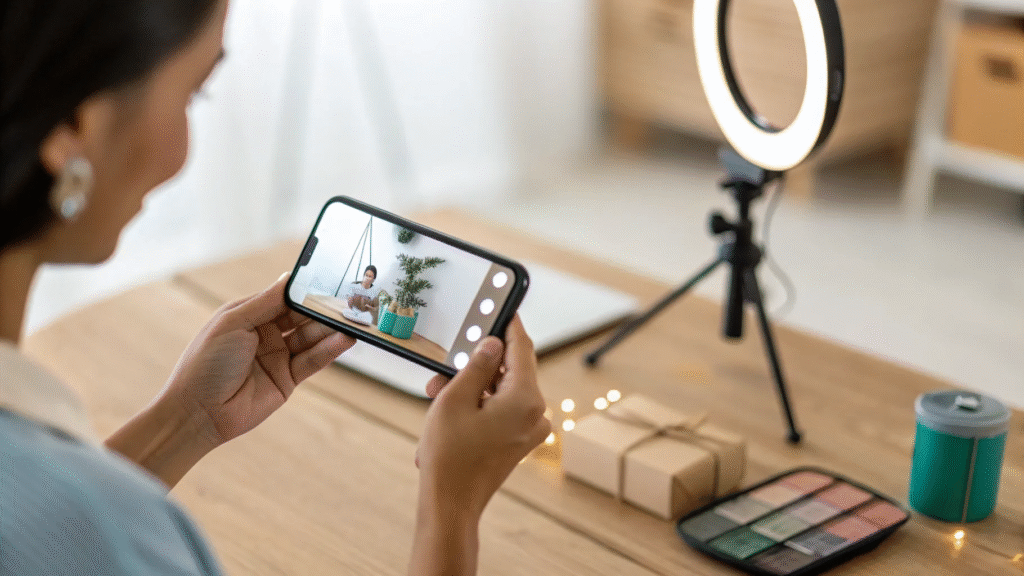
For many brands, authentic manual content still wins. I shot all my early content on my phone. You don’t need fancy equipment — just a good understanding of lighting, framing, and simple editing.
My personal phone setup and settings:
- Shoot on iPhone (algorithms often favor native phone footage) — I shoot in 4K at 60fps when possible.
- Two favorite lenses: 1x (standard) and 0.5x (ultra-wide) — the 0.5x lens is great for dynamic in-and-out effects and broader context shots; the 1x lens is perfect for closer product details.
- Prefer natural lighting: stand near a window or go outside for clear, flattering light.
- No fancy lighting required — test lamps or ring lights if needed, but natural light is usually better for authenticity.
Shoot a bank of B-roll
I recommend shooting 30–60 seconds of aesthetic B-roll for each product. B-roll is footage that you can reuse across multiple edits. Examples:
- Close-up of product texture (cream, gloss)
- Applying the product (hands, lips, brush)
- Open-package reveal
- Flatlay with product in context (on a vanity, by a sink)
- Satisfied reaction or smile (optional)
B-roll lets you create both hands-only demos and voiceover-driven videos later in editing. It’s more efficient than trying to film full finished edits every time.
Editing workflow and apps
I use CapCut and InShot for editing — both free and easy to learn.
Editing checklist:
- Import your clips (start with B-roll bank)
- Add a 1–2 second hook at the start (text or a bold visual)
- Write a short voiceover script and record it (natural tone; keep it under 30 seconds)
- Add on-screen captions and short text overlays for viewers who watch muted
- Use classic, legible fonts; avoid over-designing
- Choose a 9:16 aspect ratio for Reels/TikTok
- Balance audio (voiceover vs. music) and add subtle sound effects if relevant
- Export high-quality (H.264 or the default CapCut export) and deliver raw files if the brand asks
Hooks, captions, and thumbnails
A strong hook is the difference between a 500-view video and a 50k-view video. Your first 1–2 seconds should either:
- Show an irresistible result (before/after)
- Ask a provocative question (“Tired of chapped lips?”)
- Show a surprising visual (close-up texture, melt, or quick reveal)
Always include captions for accessibility and to capture viewers who watch on mute. Keep on-screen text short: 3–5 words for a hook, then 1–2 short lines for benefits and CTA.
Step 4 — Where to Find UGC Clients
There are four main routes to get clients:
- Social platforms (Instagram, TikTok) — post your work and use hashtags like #UGCcreator, #UGC, #UGCforbrands
- DM outreach to brands you want to work with
- Freelance platforms (Upwork, Fiverr) — create clear gigs and portfolio links
- Creator platforms and marketplaces (Right.Fit, JoinBrands, and others)
You can and should use a mix of outreach methods. Relying only on pitching can work, but combining pitching with strong organic content that attracts brands will allow you to charge more and get inbound leads.
How to pitch — short, clear, and direct
You don’t need a fancy pitch. You need a clear one that gets to the point and includes a link to your portfolio. Keep it short and personalized. Brands typically get a lot of emails, so make it easy for them to watch your work.
Use this simple pitch template I recommend:
“Hi [Brand Name], I’m Isabella — a UGC creator specializing in [niche]. I’d love to create 2–3 short videos that match your brand voice and drive results. Here’s a quick sample portfolio: [portfolio link]. If you’re interested, I can send a tailored concept and pricing. Best, Isabella — [contact email or link]”
DM variant (shorter):
“Love your [product]. I create UGC for brands like yours — 15–30s ads and testimonials. Portfolio: [link]. Open to a collab?”
Cold email subject lines that convert
- “UGC idea for [Brand] — 3 quick concepts”
- “Increase conversions with 2–3 short UGC videos”
- “Quick UGC example for [product name]”
Attach or link to your portfolio and keep the email short. Brands want to see results and ease, not a long essay.
Freelance platforms: Upwork and Fiverr tips
Create a concise gig/title: “UGC Creator — 15–30s Hands-on Demo + Voiceover.” Use your portfolio clips as gig samples, and include clear deliverables (format, length, usage rights). Start with competitive pricing to get initial reviews, then raise prices as you collect testimonials.
Step 5 — How to Price, Packages, and Usage Rights
When you price, think about deliverables and usage rights. A basic pricing breakdown:
- Single short clip (15–30s) with no usage rights: $50–$150 (beginner)
- Single clip with commercial usage rights (6–12 months): $250–$500
- Bundle (3–5 videos + raw files + voiceovers): $500–$2,000 depending on quality and experience
- Monthly retainer (4–8 videos/month + edits + exclusivity): $2,000–$10,000
Always specify usage rights in your agreement. Usage rights typically include:
- Where the content can be used (social, paid ads, website)
- Duration (3 months, 12 months, perpetual)
- Geography (domestic, worldwide)
- Exclusivity (can you work with competitors?)
If a brand asks for perpetual worldwide usage rights, increase your fee accordingly.
Step 6 — Deliverables, Revisions, and Professional Workflow
Set expectations from the start to avoid scope creep. A professional deliverable workflow might look like this:
- Send concept and script for approval (within 48 hours)
- Deliver initial draft (72 hours after approval for a single 30s clip)
- Include 1–2 rounds of revisions in the package
- Provide final exported files plus raw footage for an extra fee
- Invoice upon final delivery or 50% upfront for larger projects
Use simple file sharing (Google Drive, Dropbox) and name files clearly (Brand_Product_Video1_30s_FINAL.mp4).
Step 7 — Scaling with AI and Building an Agency
AI is a game-changer for scaling. Here’s how I use AI to increase output and revenue:
- Script generation: Use ChatGPT to write multiple hook variations and A/B test copy.
- AI video generators (like Create UGC): Produce multiple concept videos quickly for client review.
- Batch editing: Use AI-assisted editing tools for captioning and rough cuts, then add a human polish.
- Offer retainer packages: Use templates and AI to produce consistent monthly content for brands.
Agency model options:
- White-labeled production for marketing agencies
- Monthly content packages for DTC brands
- Performance-based models (lower upfront, higher on sales results)
Example agency workflow using AI:
- Client approves 10 concepts (AI-generated script options)
- AI produces rough UGC clips for review
- Human editor refines top 4 clips, adds brand voice and captions
- Deliver month’s content with analytics and suggestions for ad targeting
Step 8 — Contracts, Legal, and Taxes
The brand will usually provide contracts. I rarely write the initial contract myself. However, it’s important to understand the contract and know what to watch for:
- Usage rights (what they’re buying)
- Payment terms (deposit, net 30, milestones)
- Deliverables and revisions
- Exclusivity clauses
- Indemnification or liability language
If you want to review a contract without hiring a lawyer, AI tools like ChatGPT can help summarize and point out red flags. For unusual or high-value deals, consult a lawyer. AI is great for quick checks, but for legally binding nuance, a professional review is worth it.
Tax basics for UGC creators
This is not tax advice, but practical guidance based on my experience:
- Set yourself up as a sole proprietor or LLC depending on your country and income level
- Keep records of all income and expenses (software subscriptions, gear, editing tools)
- Track deductible expenses — home office, software, equipment, courses, internet portion
- Consider a quarterly estimated tax payment if your income grows quickly
- Consult a tax professional for your specific situation — many offer affordable initial consultations
Organic Marketing — Build a Creator Profile That Attracts Brands
Organic marketing was the strategy that helped me scale. Instead of cold pitching all the time, build a profile that looks like a mini-portfolio and marketing channel.
Steps to build a discoverable creator profile:
- Make a dedicated creator account (remove pressure from your personal profile)
- Put “UGC Creator” in your name for search optimization
- Include your niche and “creative strategist” if you offer strategy
- Keep a link in bio to your portfolio and contact email
- Post regularly: product demos, before/after, tips, and case studies
- Share results, client wins, and behind-the-scenes to show credibility
Posting your work publicly has two benefits:
- Brands find you (inbound leads allow you to charge more)
- You learn what content works — iterate and improve based on engagement
Content ideas to post on your creator account
- Case study: “How this 15s video improved CTR for a skincare brand”
- Tutorial: Behind-the-scenes of filming a hands-only demo
- Before/After: Product in use with short voiceover
- Trend adaptation: Use trending sounds with a UGC angle for a product
- Educational: Quick tips for brands on how to use UGC in ads
Practical Templates & Prompts You Can Use Today
Sample UGC Scripts (Short)
Skincare — Voiceover, 20s
Hook (0–2s): “Dry skin? This changed my morning routine.”
Middle (3–15s): “I massage two drops into damp skin — it absorbs instantly and leaves no sticky finish. Look at that glow. It’s lightweight, smells fresh, and I’ve noticed less flakiness in one week.”
CTA (16–20s): “Try [Product Name] — my skin has never looked better.”
Makeup — Hands-only, 15s
Hook: “The most buildable cream blush.”
Middle: “Blend one dot into the apples of your cheeks — looks natural, lasts all day, doesn’t pill under sunscreen.”
CTA: “Grab yours at [Brand].”
Snack reaction — 10–12s
Hook: “First bite — wow.”
Middle: “Crunchy, lightly salted, slightly sweet — tastes like that weekend bakery treat.”
CTA: “You need this snack in your life.”
ChatGPT prompts to generate UGC scripts
- “Write three 20-second UGC scripts for [product] with a hook, 1–2 benefit lines, and a CTA.”
- “Create five different hooks for a 15-second video about [product].”
- “Write a hands-only demo script for [product] with step-by-step actions and short voiceover lines.”
Create UGC prompts
When using AI video generators, paste the product URL and feed the tool short brand details. If you need script direction, use prompts like:
“Product: [Name, one sentence]. Tone: warm and genuine. Output: 20–25s hands-on demo showing application, one short testimonial line, and CTA. Keep first 2 seconds as hook highlighting texture or result.”
Negotiation Tips — Ask for What You Deserve
Many creators undercharge out of fear. Here’s how to negotiate like a pro:
- Start by understanding your deliverables and the value to the brand (product category and typical ROI)
- Always ask what rights they need — pricing increases with rights and usage duration
- If they lowball, offer a scaled-down single-use license at lower cost or propose a performance bonus
- Ask for 50% upfront on larger packages and set clear revision rounds
- When in doubt, raise your price — higher price often signals higher perceived quality
Common Questions & My Honest Answers
Do I need a big following to work with brands?
No. Brands care about content quality and the ability to produce relatable, high-converting videos. Micro creators with strong portfolios routinely secure paid deals.
Do I need to be on camera?
Not always. Hands-only demos, flatlays, and voiceover testimonials can be highly effective. But being on camera can expand your options and help in niches where personal credibility matters (wellness, beauty).
How long before I get my first client?
Some people land a client in days. For most, it takes a few weeks of consistent outreach and portfolio building. If you apply the steps here and pitch daily, you’ll start getting responses quickly.
Is AI going to replace UGC creators?
AI is a tool. It helps you scale and create faster, but your taste, brand understanding, and creative direction are irreplaceable. Use AI to boost productivity, not to lose your unique creative voice.
Week-by-Week Starter Plan (First 4 Weeks)
Follow this 4-week plan to move from zero to first paid client.
Week 1 — Foundation
- Choose niche and style
- Create 3–5 portfolio clips using products at home
- Set up a portfolio link (Canva or simple site)
Week 2 — Publish and Pitch
- Post 3–4 pieces of content on a creator account
- Start pitching 10 brands via email/DMs and set up a Fiverr/Upwork gig
- Use ChatGPT to write pitch variations and follow-ups
Week 3 — Follow Up and Iterate
- Follow up with warm leads and track responses
- Use AI to create alternate scripts and reshoot if needed
- Test pricing and create one 3-video package to offer
Week 4 — Close First Deal and Deliver
- Lock in your first client — ask for a 50% deposit on larger packages
- Deliver on time with 1–2 rounds of revisions
- Collect a testimonial and permission to post the work as a case study
Final Thoughts — Start Today
UGC is one of the easiest and most profitable entry points into online business right now. You don’t need followers, a fancy camera, or years of experience. You need consistency, authenticity, and a willingness to learn. Use AI to help you scale, but keep your personal touch. Make a portfolio today with things in your home, pitch one brand, and post your work publicly. The market is growing — brands are spending millions on relatable video ads, and they need creators who can deliver.
If you want the exact portfolio template I used for beginners, grab it here: https://www.canva.com/design/DAGymOhHSI0/wc5t9-R7Y6GHNqEnaMQKrw/view?utm_content=DAGymOhHSI0&utm_campaign=designshare&utm_medium=link&utm_source=publishsharelink&mode=preview
Want one-on-one coaching or to join a community that speeds up your growth? Check out Viral Wealth coaching and the AI tool I mentioned to start producing UGC in minutes:
- AI UGC generator: https://app.createugc.ai/auth/register?utm_source=youtube&utm_medium=affiliate&utm_campaign=baddie
- 1:1 coaching: https://www.viralwealth.io
I believe in you. Start small, post relentlessly, use the templates and scripts above, and iterate. If you have questions, drop them in the comments or reach out — I always try to respond and help creators build real businesses. Wishing you all the best — let’s get you paid to make videos.
Quick Reference — Resources, Prompts, and Templates
- Portfolio template: https://www.canva.com/design/DAGymOhHSI0/wc5t9-R7Y6GHNqEnaMQKrw/view?utm_content=DAGymOhHSI0&utm_campaign=designshare&utm_medium=link&utm_source=publishsharelink&mode=preview
- Create UGC tool: https://app.createugc.ai/auth/register?utm_source=youtube&utm_medium=affiliate&utm_campaign=baddie
- Coaching & community: https://www.viralwealth.io
- Sample pitch template (copy/paste):
“Hi [Brand], I’m Isabella — a UGC creator specializing in [niche]. I’d love to create 2–3 short videos that match your brand voice and drive results. Here’s a quick sample portfolio: [portfolio link]. If you’re interested, I can send a tailored concept and pricing. Best, Isabella — [contact email]” - ChatGPT script prompt:
“Write three 20-second UGC video scripts for a hydrating lip gloss product. Make each script different: 1) hands-only demo, 2) reaction + testimonial, 3) flatlay + benefits voiceover. Include hooks for the first 2 seconds and a call to action at the end.”
Closing
This course is an evergreen blueprint — the exact steps I used and updated with the latest AI tools and growth strategies. Start with the portfolio, create a week-by-week plan, pitch consistently, and use AI to scale. The opportunities in UGC are only getting bigger over the next 5–10 years. If you show up and put in the work, you can replace your income and build a thriving business. See you inside the creator economy.